
Data Hall
STRUCTUREThe building that houses your GPU racks.
Place it, then fill it with GPU clusters from the COMPUTE tab. Everything else on the site exists to keep this hall powered and cool.
Operator's Handbook
Everything you need to run a desert compute site: what you're aiming for, how to get going, how to raise your reliability, and a reference for every piece you can build - what it's for and what it costs.
Level 1 is the desert - an open sandbox with one soft goal: grow yourcumulative earnings to $40M to found The Diggy Hole Co. and unlock The North. Reach it and you win the run.
That $40M is the demo's finish line - it clears Level 1 and is as far as this build goes. The full game keeps climbing all the way to$1 trillion. That's the name.
You're a subsidiary of a parent holding company. Run the numbers right and revenue compounds. Let operating costs outrun income and the parent company repossesses the site - that's the loss.
Watch the status panel: a ! means you're short on power or cooling. There are two things you can raise, independently:
And buy yourself a safety margin: a Water Reserve keeps cooling alive for a short window after a Cooling Unit fails, buying time to repair it.
Your Tier is computed live from the redundancy you've built - higher means fewer outages. Here's just the difference at each step:
The buildings on your site. The Data Hall is the one that earns; the rest is dressing.
The building that houses your GPU racks.
Place it, then fill it with GPU clusters from the COMPUTE tab. Everything else on the site exists to keep this hall powered and cool.

A place for the crew to work.
Site dressing - flavor for now, no mechanical effect.

Housing for your crew.
Site dressing - flavor for now, no mechanical effect.
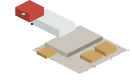
Where the trucks unload.
Site dressing - flavor for now, no mechanical effect.
Bring power onto the site, then add one capacity unit per MW of load. Redundancy here is what keeps the hall online.
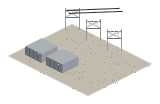
Grid intake - brings power onto the site.
Required infrastructure that feeds everything. It is not a redundancy unit and does not count toward your N.

One unit of usable power (1 MW).
The workhorse power unit. Add one per MW of load to reach N, then one more for N+1.

Battery ride-through power (1 MW).
Counts as a power unit and smooths brief grid dips.

Spare power (1 MW).
A power unit that adds redundancy on your way to N+1 and 2N.

A second distribution route for power (switchgear).
Adds no power. It is the redundant power path required for Tier III and IV.
Heat scales with power. Add one Cooling Unit per unit of heat; the loop and reserve add redundancy, not capacity.

One unit of cooling (a CRAC).
The only cooling piece that raises your COOL count. Add one per unit of heat to reach N, then one more for N+1.

A second distribution route for cooling (chilled-water loop).
Adds no cooling. It is the redundant cooling path required for Tier III and IV.

A cooling buffer.
When a Cooling Unit fails, the reserve keeps the hall cool for a short grace window - buying repair time - before the hall goes down.